

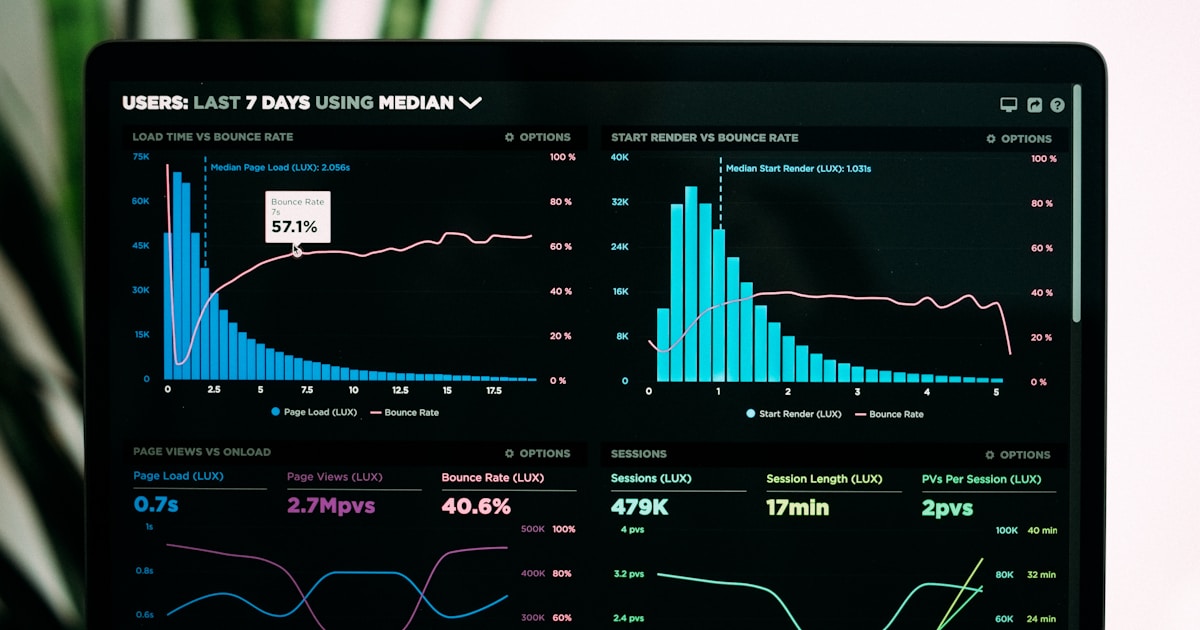
Implementing AI customer service is just the beginning. The real challenge—and the real value—comes from measuring whether it’s actually working, where it’s failing, and how to continuously improve.
Too many organizations deploy AI and then struggle to answer basic questions:
- Is our AI actually resolving customer issues?
- Are customers happy with AI interactions?
- Is this saving us money or just creating new problems?
- Which use cases work well and which don’t?
- How do we prove ROI to executives?
This guide provides the complete measurement framework: 10 essential metrics, how to calculate them, what benchmarks to target, and how to use data to drive continuous improvement.
The Measurement Framework: 4 Metric Tiers
Before diving into specific metrics, understand the framework:
Tier 1: Operational Metrics → Is the AI functioning properly? Tier 2: Customer Experience Metrics → Are customers satisfied? Tier 3: Business Impact Metrics → Is this saving money and driving revenue? Tier 4: Continuous Improvement Metrics → Is the AI getting better over time?
Track all four tiers—not just cost savings. A cheap AI that frustrates customers destroys long-term value.
Metric 1: AI Resolution Rate (ARR)
Definition: Percentage of conversations fully resolved by AI without human intervention.
Why It Matters
This is the foundational metric. It directly determines:
- How much human agent capacity you’re freeing up
- Whether AI is actually handling workload or just creating extra steps
- Cost savings potential
- Scalability of your solution
How to Calculate
AI Resolution Rate = (Conversations Resolved by AI / Total AI Conversations) × 100

Where "Resolved" means:
- Customer's issue was addressed
- No escalation to human agent
- Conversation reached natural completion
Segmentation Strategy
Don’t just track overall ARR—segment by:
- Query type: Password resets might hit 95%, complex technical issues might hit 40%
- Channel: Web chat vs. email vs. voice
- Customer segment: New customers vs. returning vs. VIP
- Time of day: Performance during peak vs. off-hours
- Language: English vs. other languages
Benchmarks
By Maturity:
- Month 1-3: 40-55% (pilot phase)
- Month 4-6: 55-70% (scaling phase)
- Month 7-12: 70-80% (mature phase)
- 12+ months: 75-85% (optimized)
By Industry:
- E-commerce: 75-85%
- SaaS/Technology: 65-75%
- Financial Services: 60-70% (compliance-heavy)
- Healthcare: 55-65% (complex, sensitive)
Red Flags
- ARR declining over time: AI isn’t learning; customers avoiding it; or query complexity increasing
- ARR <50% after 6 months: Fundamental issues with AI quality, knowledge base, or use case selection
- Huge variance by query type: Some queries working great, others failing—need targeted improvement
Improvement Strategies
If ARR is low:
- Analyze failed conversations to identify patterns
- Improve knowledge base coverage for common failures
- Refine intent recognition for frequently misunderstood queries
- Adjust escalation thresholds (might be escalating too aggressively)
- Add conversation flows for common multi-turn dialogues
Metric 2: Customer Satisfaction Score (CSAT)
Definition: Post-interaction satisfaction ratings for AI conversations.
Why It Matters
High resolution rates mean nothing if customers are frustrated. CSAT ensures AI is actually providing good experiences, not just technically “resolving” issues.
How to Measure
Post-conversation survey: “How satisfied were you with this interaction?”
- ⭐⭐⭐⭐⭐ (5 = Very Satisfied)
- ⭐⭐⭐⭐ (4 = Satisfied)
- ⭐⭐⭐ (3 = Neutral)
- ⭐⭐ (2 = Dissatisfied)
- ⭐ (1 = Very Dissatisfied)
CSAT Score = Average of all ratings (target: 4.0-4.5 out of 5.0)

Or as percentage:
CSAT % = (Ratings 4-5 / Total Ratings) × 100 (target: >80%)
Segmentation
Track CSAT separately for:
- AI-only conversations vs. AI→human handoffs
- Resolved vs. unresolved conversations
- Different query types
- New customers vs. returning
- Different channels
Benchmarks
Overall AI CSAT:
- Excellent: 4.3-4.7/5.0
- Good: 4.0-4.3/5.0
- Acceptable: 3.7-4.0/5.0
- Concerning: <3.7/5.0
Comparison Point: AI CSAT should be within 0.2-0.3 points of human agent CSAT. If it’s significantly lower, customers perceive AI as inferior.
Common CSAT Killers
- AI can’t complete transactions: Customer wants refund, AI only explains policy
- Repetitive loops: AI keeps asking for same information
- Robotic language: Sounds fake, doesn’t match brand voice
- Can’t escalate easily: Customers trapped in AI when they want human
- Misunderstands intent: Answering wrong question repeatedly
Improvement Playbook
If CSAT is low overall:
- Review low-rated conversations to find common issues
- Improve natural language quality (less robotic)
- Add transaction capabilities (not just information)
- Make escalation easier and clearer
If CSAT varies by query type:
- Focus improvement efforts on lowest-rated categories
- Consider removing AI from categories where it consistently fails
- Add human review for sensitive/complex categories
Metric 3: Average Response Time (ART)
Definition: Time from customer query to first meaningful response from AI.
Why It Matters
Speed is a core advantage of AI. If your AI is slow, you’re not delivering on the primary value proposition.
How to Calculate
Average Response Time = Average seconds from customer message to first AI response

Exclude:
- Time customer is typing
- System processing time for images/attachments
Benchmarks
By Channel:
- Chat/Messaging: <5 seconds (target: 2-3 seconds)
- Email: <2 minutes
- Voice: <3 seconds for speech recognition + response
By Complexity:
- Simple queries (FAQ): <2 seconds
- Medium complexity: <5 seconds
- Complex (requires multiple data lookups): <10 seconds
Red Flags
- Response time >15 seconds for any query type
- Increasing response times over time (infrastructure scaling issues)
- High variance (some queries fast, others slow)
Performance Optimization
If response time is slow:
- Optimize LLM calls: Use caching for common queries
- Pre-compute answers: Generate responses for FAQs in advance
- Parallel processing: Query multiple data sources simultaneously
- Infrastructure scaling: Add compute resources during peak times
- Latency monitoring: Track and optimize slowest components
Metric 4: First Contact Resolution (FCR)
Definition: Percentage of issues resolved in a single interaction (no follow-up needed).
Why It Matters
FCR is one of the strongest predictors of customer satisfaction. Customers hate having to contact support multiple times for the same issue.
How to Calculate
FCR = (Issues Resolved in One Contact / Total Issues) × 100

Track if customer contacts again about same issue within 7 days
Benchmarks
Industry Standards:
- Excellent: >80%
- Good: 70-80%
- Acceptable: 60-70%
- Concerning: <60%
AI vs. Human Comparison: AI FCR should be within 10-15 percentage points of human agent FCR. If gap is larger, AI is creating more work, not less.
Common FCR Killers
- Incomplete information: AI answers question but doesn’t provide next steps
- Can’t take action: Customers need to contact again to actually process refund/change/etc.
- Misdiagnosis: AI misunderstands problem, provides wrong solution
- Policy changes: AI has outdated information
- Complex issues: AI attempts simple query, but underlying problem is deeper
Improvement Tactics
- Add transaction capabilities (complete the action, not just explain)
- Improve knowledge base completeness
- Proactively offer related information (“You might also need…”)
- Add follow-up confirmation (“Did this fully resolve your issue?”)
Metric 5: Cost Per Interaction (CPI)
Definition: Total support costs divided by number of customer interactions.
Why It Matters
This is your ROI proof point. AI should dramatically reduce cost per interaction compared to human-only support.
How to Calculate
Cost Per Interaction = Total Monthly Support Costs / Total Monthly Interactions

Include:
- Platform/software costs
- LLM API costs
- Human agent salaries (for escalations)
- Infrastructure costs
- Training and optimization labor
Benchmarks
Traditional Support (Human-Only):
- Phone: $5-15 per interaction
- Email: $4-8 per interaction
- Chat: $3-6 per interaction
- Average: $6-10 per interaction
AI-Enhanced Support:
- AI-only resolution: $0.25-1.50 per interaction
- AI→Human escalation: $4-8 per interaction
- Blended average: $1.50-3.00 per interaction
Target Savings: 50-75% reduction vs. traditional
ROI Calculation Example
Before AI:
- 10,000 monthly interactions
- $6 average cost per interaction
- Total: $60,000/month
After AI:
- 10,000 monthly interactions
- 75% AI-resolved at $0.75 each = $5,625
- 25% escalated at $6 each = $15,000
- Total: $20,625/month
- Monthly Savings: $39,375 (66% reduction)
- Annual Savings: $472,500
Cost Optimization
If CPI isn’t improving:
- Increase AI resolution rate (fewer expensive human escalations)
- Optimize LLM usage (caching, smaller models for simple queries)
- Improve first-contact resolution (reduce repeat contacts)
- Automate agent tasks (reduce handling time for escalations)
Metric 6: Human Escalation Rate
Definition: Percentage of AI conversations requiring human agent intervention.
Why It Matters
Escalation rate is the inverse of resolution rate but provides different insights:
- Why is AI escalating? (Complexity? Failure? Customer preference?)
- Is AI escalating appropriately? (Too eagerly? Too reluctantly?)
- What categories consistently escalate?
How to Calculate
Escalation Rate = (AI Conversations Escalated to Humans / Total AI Conversations) × 100

Categorize escalations by reason:
- Customer requested human
- AI detected frustration/sentiment
- Query complexity exceeded threshold
- AI confidence too low
- Policy/compliance requirement
Benchmarks
Overall Escalation Rate:
- Month 1-3: 30-45%
- Month 4-6: 20-35%
- Month 7-12: 15-25%
- 12+ months: 12-20%
By Escalation Reason:
- Customer preference: 30-40% of escalations (acceptable)
- AI failure: <20% of escalations (target)
- Complexity: 30-40% of escalations (expected for complex queries)
- Sentiment/frustration: <10% of escalations (AI should prevent this)
Red Flags
- Escalation rate increasing over time
- High % of escalations due to AI failure (vs. complexity)
- Customers immediately requesting human (“bypass AI”)
- AI escalating too early (before attempting resolution)
Optimization Strategies
For high escalation rates:
- Analyze escalation triggers—what’s causing handoffs?
- Improve AI capabilities for common escalation categories
- Adjust confidence thresholds (AI might be too conservative)
- Better training for complex query types
- Add conversation recovery (AI tries again before escalating)
For appropriate escalations:
- Ensure seamless handoff with full context
- Train human agents on AI capabilities (know what was already tried)
- Create feedback loop (agents flag unnecessary escalations)
Metric 7: Conversation Abandonment Rate
Definition: Percentage of conversations where customer leaves before resolution.
Why It Matters
High abandonment indicates frustration, confusion, or AI failure. Customers voting with their feet.
How to Calculate
Abandonment Rate = (Abandoned Conversations / Total Conversations) × 100

Define "abandoned" as:
- No customer response for >15 minutes (chat)
- No customer response for >4 hours (email)
- Customer closes window without confirmation
Benchmarks
Acceptable Abandonment:
- Chat: <12%
- Email: <8%
- Voice: <5%
Concerning: >20% for any channel
Common Abandonment Causes
- AI doesn’t understand: Customers give up after 3-4 failed attempts
- Waiting for AI: Response too slow, customer loses patience
- Can’t find human option: Customer wants to escalate but can’t figure out how
- AI loops: Keeps asking for same information repeatedly
- No progress: AI provides information but can’t take action
Improvement Playbook
Analyze abandonment points:
- What message/question came right before abandonment?
- How many turns into conversation did abandonment occur?
- Which query types have highest abandonment?
Common fixes:
- Detect struggling customers earlier, offer human
- Improve response speed
- Make escalation option clearer
- Add conversation recovery (“Seems like I’m not helping—let me connect you with a specialist”)
- Simplify complex flows
Metric 8: Knowledge Base Coverage
Definition: Percentage of customer queries for which AI has documented answers.
Why It Matters
AI can only be as good as its knowledge base. Coverage directly impacts resolution rate.
How to Calculate
Knowledge Base Coverage = (Queries with Documented Answers / Total Unique Query Types) × 100

Or by volume:
= (Queries AI Can Answer / Total Queries) × 100
Measurement Approaches
1. Intent Coverage:
- Map all customer intents (what they’re asking)
- Identify which have documented answers
- Track % of intents covered
2. Query Volume Coverage:
- Track which queries have good answers
- Weight by volume (prioritize high-frequency queries)
- Calculate % of query volume covered
Benchmarks
By Maturity:
- Launch: 60-70% coverage
- 3 months: 75-85% coverage
- 6 months: 85-92% coverage
- 12+ months: 90-95% coverage
Note: 100% coverage is impossible (some queries are truly novel)
Gap Analysis
Identify knowledge gaps:
- Review failed/escalated conversations
- Cluster by missing knowledge topic
- Prioritize gaps by frequency and business impact
- Create documentation for high-impact gaps
- Measure improvement in resolution for those topics
Continuous Improvement
- Weekly review of unanswered queries
- Monthly knowledge base updates
- Quarterly comprehensive audit
- Automated gap detection (AI flags unknown topics)
Metric 9: Agent Productivity with AI Co-Pilot
Definition: Increase in tickets handled per agent when using AI assistance tools.
Why It Matters
AI isn’t just for customers—it’s also a force multiplier for human agents. Co-pilot tools can dramatically increase agent efficiency.
How to Calculate
Productivity Gain = ((Tickets with AI - Tickets without AI) / Tickets without AI) × 100

Baseline (without AI): Average tickets per agent per day
With AI: Average tickets per agent per day with co-pilot

Also track:
- Average Handle Time (AHT) reduction
- Time saved on documentation
- Knowledge base search time saved
Benchmarks
Expected Productivity Gains:
- Tickets handled: +25-45% increase
- Average Handle Time: 20-35% reduction
- Documentation time: 40-60% reduction
- Knowledge search time: 50-70% reduction
Co-Pilot Capabilities to Measure
- Real-time suggestions: % of suggestions used by agents
- Auto-documentation: % of tickets auto-summarized
- Knowledge retrieval: Time saved finding answers
- Quality checks: % of issues prevented (policy violations, tone problems)
Agent Satisfaction
Track alongside productivity:
- Agent job satisfaction scores
- Usage rate of co-pilot features
- Agent feedback on AI helpfulness
- Stress/burnout indicators
According to Harvard Business Review, agent satisfaction typically increases 15-25% with AI co-pilots despite handling higher volume.
Metric 10: Revenue Impact Metrics
Definition: Business outcomes beyond cost savings—revenue generated or protected by AI.
Why It Matters
AI isn’t just about cutting costs—it can actively drive revenue through upsells, retention, and customer lifetime value improvements.
Key Revenue Metrics to Track
1. Upsell/Cross-Sell Conversion Rate
= (AI-Identified Opportunities Converted / Total Opportunities) × 100

Examples:
- "Would you like to upgrade to Premium?"
- "Customers who bought X also love Y"
- "Add 3-year warranty for just $X?"
2. Cart/Subscription Recovery Rate
= (Customers Retained by AI / Total At-Risk Customers) × 100

Examples:
- AI detects churn signals, offers retention discount
- Recovers abandoned carts with targeted help
- Proactive outreach to prevent cancellations
3. Customer Lifetime Value (CLV) Impact
Compare CLV of customers with positive AI interactions vs. negative/none

Typically see 5-15% higher CLV with excellent AI support
4. Net Promoter Score (NPS)
= % Promoters (9-10 ratings) - % Detractors (0-6 ratings)

Track NPS before/after AI implementation
Segment by AI interaction quality
Revenue Impact Examples
E-Commerce Company:
- AI-suggested upgrades: +$127K monthly revenue
- Cart recovery: +$89K monthly revenue
- Reduced refunds (better support): -$45K monthly costs
- Total Impact: +$261K monthly
SaaS Company:
- Upsells to higher tiers: +$42K MRR
- Churn prevention: +$38K MRR (retained)
- Expansion revenue: +$19K MRR
- Total Impact: +$99K MRR
Measurement Challenges
Revenue attribution is tricky. Best practices:
- Use control groups (similar customers without AI interaction)
- Track cohorts over time
- Use multi-touch attribution
- Conservative assumptions (don’t over-claim AI impact)
Building Your Metrics Dashboard
Don’t just track metrics in spreadsheets—build an automated dashboard.
Dashboard Requirements
Real-Time Metrics:
- Current AI resolution rate
- CSAT (last 24 hours)
- Active conversations
- Escalation queue depth
Daily Metrics:
- Yesterday’s ARR, CSAT, CPI
- Trend arrows (improving/declining)
- Top failure categories
- Escalation reasons
Weekly/Monthly:
- All 10 metrics with trends
- Segmentation by query type, channel, segment
- Comparison to benchmarks
- Improvement recommendations
Recommended Tools
Analytics Platforms:
- Tableau, Looker, Power BI for comprehensive dashboards
- Amplitude, Mixpanel for product analytics
- Custom dashboards built on platform APIs
Key Features:
- Automated data collection
- Real-time updates
- Customizable views by stakeholder (exec summary vs. detailed operations)
- Alert thresholds (notify when metrics degrade)
- Historical comparisons
Stakeholder-Specific Views
Executive Dashboard:
- Cost savings ($ and %)
- CSAT trend
- Volume handled by AI
- ROI summary
Operations Dashboard:
- All 10 metrics with details
- Segmentation by category
- Failed conversation analysis
- Improvement priorities
Agent Dashboard:
- Co-pilot usage and impact
- Average handle time
- Customer satisfaction
- Knowledge gap alerts
Continuous Improvement Process
Metrics don’t improve themselves. Build a process:
Weekly Cycle
Monday:
- Review previous week’s metrics
- Identify biggest gaps vs. targets
- Prioritize improvement opportunities
Tuesday-Thursday:
- Analyze root causes of failures
- Implement fixes (knowledge base updates, flow improvements)
- Test changes with sample queries
Friday:
- Deploy improvements
- Monitor initial impact
- Document changes and results
Monthly Cycle
Week 1:
- Comprehensive metrics review
- Deep-dive analysis of problem areas
- Stakeholder reporting
Week 2-3:
- Major knowledge base updates
- Conversation flow redesign for failing categories
- A/B testing of improvements
Week 4:
- Review A/B test results
- Deploy winners broadly
- Plan next month’s priorities
Quarterly Cycle
- Benchmark against industry standards
- Major platform/model updates
- Expand to new use cases
- Celebrate wins with team
Conclusion: Metrics Drive Success
AI customer service success isn’t about deploying technology—it’s about measuring, learning, and continuously improving based on data.
Organizations that rigorously track these 10 metrics:
- Achieve 15-25% better resolution rates
- Improve CSAT by 0.3-0.5 points
- Reduce costs 10-15% more than those who don’t measure
- Prove ROI more effectively to stakeholders
- Identify and fix problems faster
Start with these 10 metrics. Track them weekly. Segment them by category. Compare to benchmarks. And most importantly: use the data to drive continuous improvement.
The difference between good AI customer service and great AI customer service is measurement.
Resources:
- Gartner: Customer Service Metrics Guide
- Forrester: Measuring Customer Service ROI
- COPC Customer Service Standards
- Zendesk Benchmark Report
Dashboard Templates: Download free dashboard templates and metric tracking spreadsheets at industry standard analytics platforms or build custom using your data.
Measure everything. Improve constantly. Prove value. Win.